
Snow Day Calculator
Predict today your chances of a snow day with our smart calculator.
Today’s Chance of Snow
Next 03-Days Forecast Chances For Snow Day
❄️ What is Snow Day Calculator ❄️
A Snow Day Calculator is an online tool that helps predict the chances of a snow day in your area. By using real-time weather forecasts and geolocation data. It estimates the probability of school closures. Students, parents, and teachers can check snow chances instantly. It shows today’s snow forecast along with a 3-days snow prediction. This calculator is perfect for planning ahead during winter storms. Simply enter your city or zip code to get snow day chances in percentage. With accurate results, the Snow Day Calculator makes winter planning easier and smarter.
Quick Start (3 Steps)
- Enter your city or ZIP code (or tap Use my current location).
- Choose °F or °C under “Temperature Unit.”
- Click Check Snow Day Chance to see today’s percentage and the next 7 days.
Step-by-Step Guide
1) Open the calculator
Visit the Snow Day Calculator page. The page loads fast and works on phones, tablets, and computers.
2) Pick how you want to set location
- Option A: Type a place
Click the search box and enter a ZIP code or city name (e.g., “80202” or “Buffalo, NY”).
Tip: If multiple cities share the same name, add the state for best results. You can also check like this City_Name,State_Name,Country_Name. - Option B: Use my current location
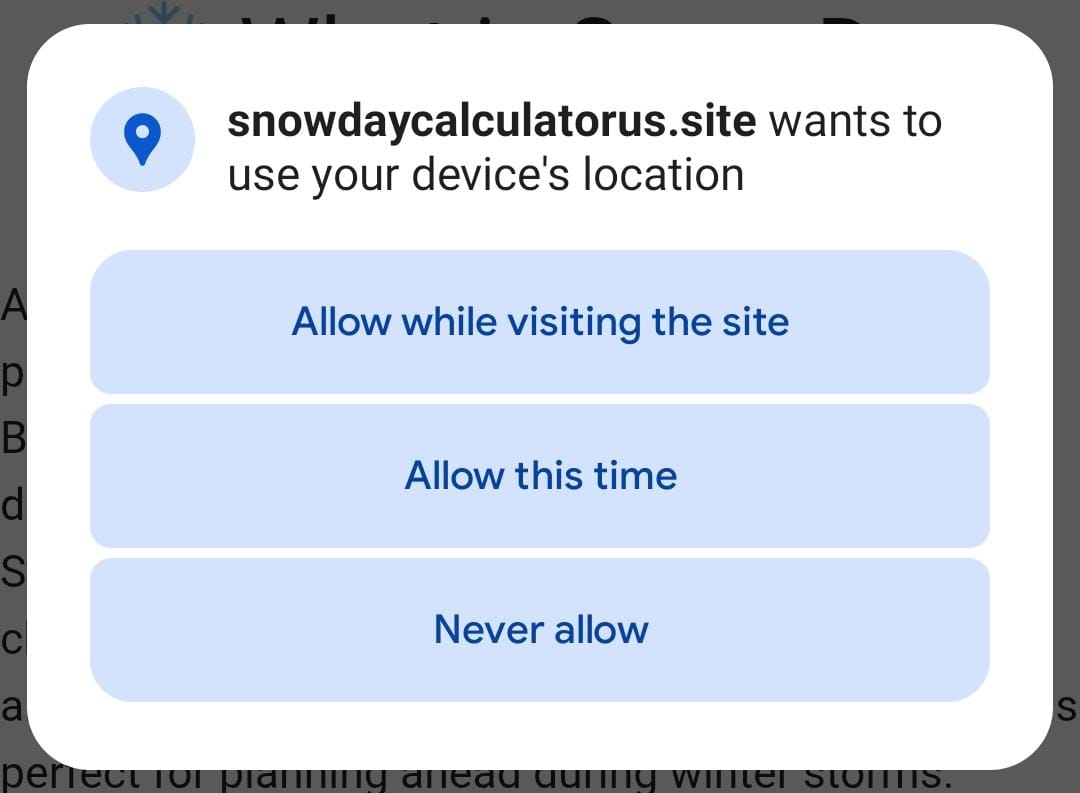
Click Use my current location. Your browser may ask for permission choose Allow so the tool can detect your coordinates automatically.
3) Choose your temperature unit
Select °F (common in the USA) or °C. This only changes how temperatures display; the snow-chance calculation still works the same.
4) Click “Check Snow Day Chance”
Hit the blue Check Snow Day Chance button. In a moment, you’ll see:
- Today’s Chance of Snow — a big, bold percentage.
- Location details — city, region, and coordinates so you know the tool used the right place.
- Date & time — when the data was checked.
5) Read today’s result like a pro
Use this plain-English scale to interpret the percentage:
- 0–20%: Very unlikely — normal day; keep an eye on updates if a storm is forming.
- 21–40%: Low chance — prepare light winter gear; closures are not expected.
- 41–60%: Possible — conditions could tip either way; check again later.
- 61–80%: Likely — start planning for delays or closures.
- 81–100%: Very likely — strong chance of a snow day; follow official announcements.
Remember: The calculator gives a probability, not a guarantee. Always follow your school district or local authority for final decisions.
6) Check the next 3 days
Scroll to the Next 3-Day Forecast cards. Each day shows:
- A snow/weather icon.
- The chance of snow (often in bold with a snowflake icon).
- The date/weekday so you can plan ahead.
Use this section to spot patterns—like a mid-week storm or a weekend warm-up.
7) Refresh or try another place
Traveling? Type a new city or ZIP and click the button again. You can quickly compare locations (home vs. school vs. work).
Tips for Better Accuracy
- Enter specific locations. ZIP codes reduce confusion when cities share names.
- Allow location access if you’re on mobile; GPS precision helps near storm boundaries.
- Check again later in the day. Forecasts update; probabilities can rise or fall as storms approach.
- Watch temperature swings. A few degrees above/below freezing can change snow to rain (and closure odds).
- Combine with local news. Use the calculator alongside school district alerts and road reports.
Common Issues & Easy Fixes
- Location blocked: If “Use my current location” doesn’t work, open your browser settings → Site permissions → Allow location for your site.
- No result or 0% every time: Re-enter the place, include the state, or try a ZIP code. Check your internet connection.
- Wrong city matched: Add state or ZIP (e.g., “Portland, ME” vs “Portland, OR”).
- Time seems off: Your device time zone may differ from the forecast time; confirm your system clock.
- Still stuck? Clear the browser cache and refresh, or try another browser.
FAQs
Q1. Is this official?
No. It’s a helpful prediction tool based on weather data. Always confirm with your school district or employer.
Q2. How often should I check?
During a storm, check morning, afternoon, and evening. Probabilities change as new forecasts arrive.
Q3. Why does my percentage drop?
Storm tracks shift. Warmer air, drier pockets, or a moving front can lower the snow chance.
Q4. What does 0% mean?
It means snow is very unlikely based on current data. If conditions change, the number can update.
Planning Checklist (Optional but Handy)
- Charge phones and set up district alerts.
- Prep winter clothing, boots, and car scraper the night before.
- If the chance is 60%+, line up backup childcare or remote-work options.
- Keep an eye on road conditions the morning of a potential snow day.
Final Note
The Snow Day Calculator gives you a clear, easy-to-read percentage and a 7-day view so you can plan smarter in winter. Use it with your local alerts, check back as storms evolve, and stay safe out there!